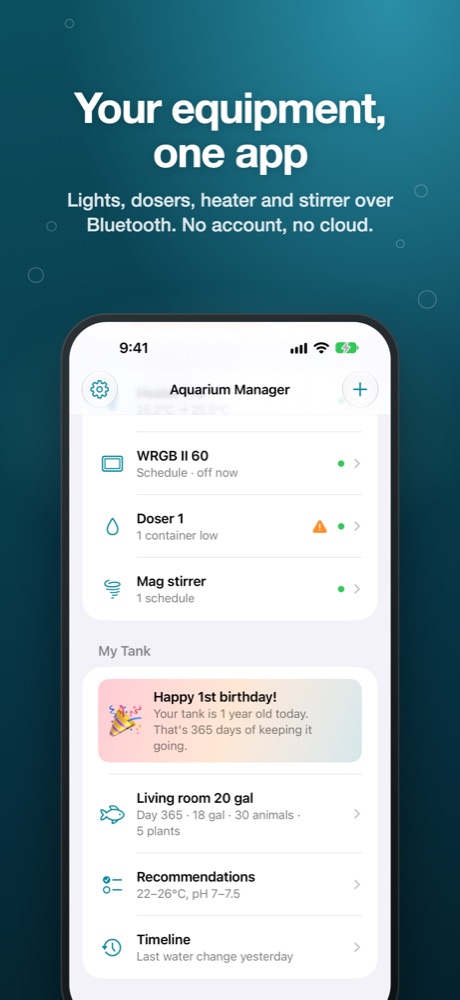
Controls your aquarium lights, dosing pumps, heater and magnetic stirrer directly over Bluetooth, and keeps your tank's whole story in one place. No account, no cloud, no hub: your phone talks to your equipment.
iPhoneBluetooth7-day free trial · One-time unlockNo account · No cloud
Equipment control, tank advice and a full history, all on your phone.
Swipe or scroll sideways for more. Tap a screenshot to enlarge it.
Features
Every piece of equipment, plus the knowledge to run a healthy tank.
Lights
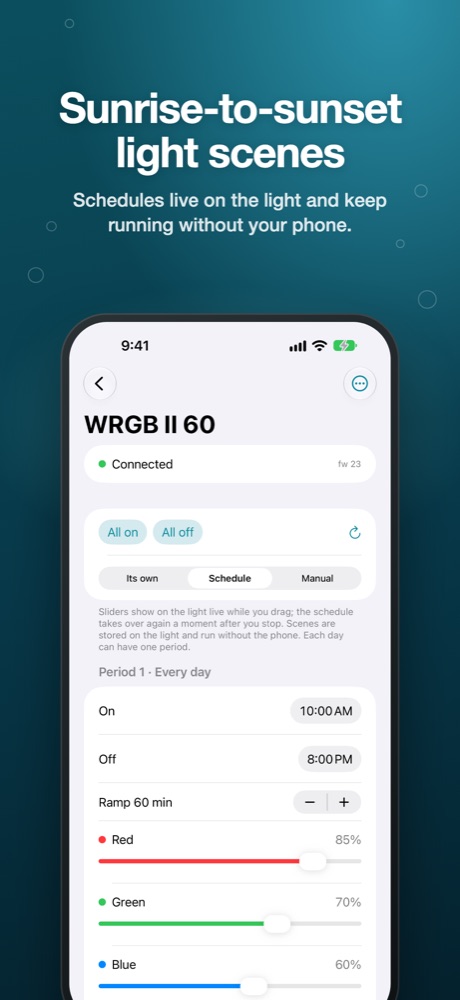
Scenes with sunrise and sunset ramps, up to seven periods with their own weekdays.
Manual levels with live sliders: the light follows your finger.
Fan, overheat protection and indicator light on supported models.
Schedules are stored on the light and run without your phone.
Dosing
Per-head schedules with weekdays and daily totals.
Safety limits per dose, per day and for manual doses.
Calibration wizard with a test dose.
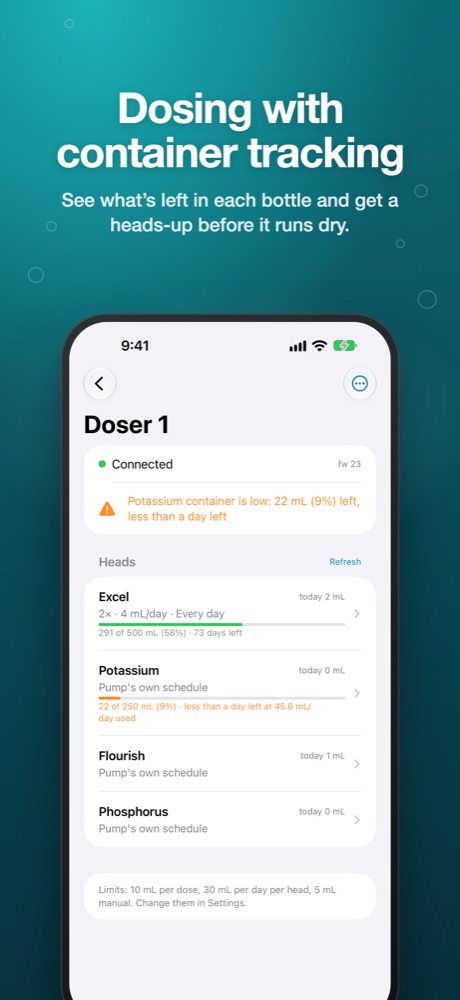
Container tracking: what's left, days remaining, and low/empty alerts.
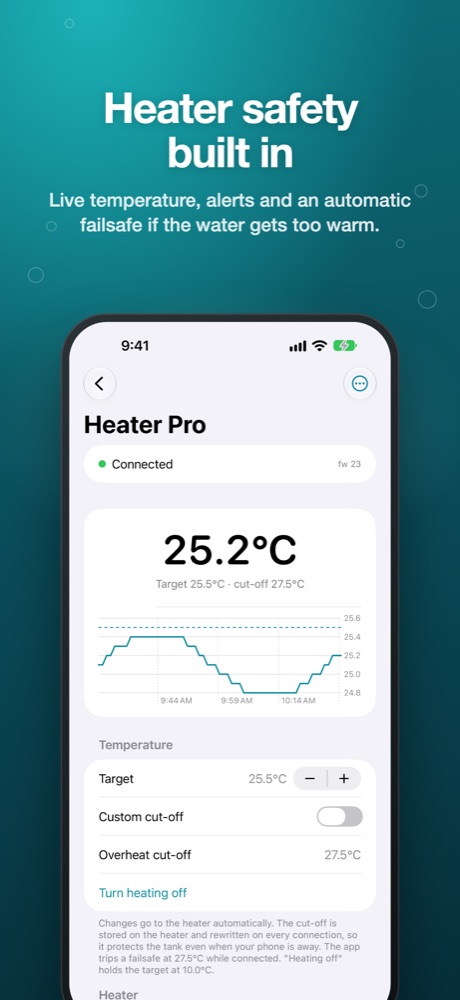
Heater
Target temperature and an overheat cut-off stored on the heater itself.
Live temperature and chart.
Failsafe: if the water stays too hot, the app drops the target until you check the tank.
Stirrer
Timed stir runs per channel with speed, pre-stir and weekdays.
Stir now, with a timer.
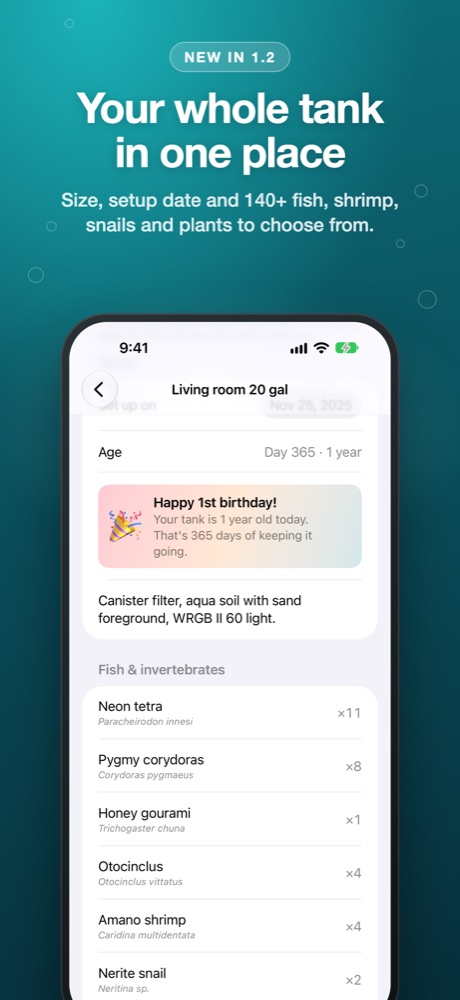
My tank
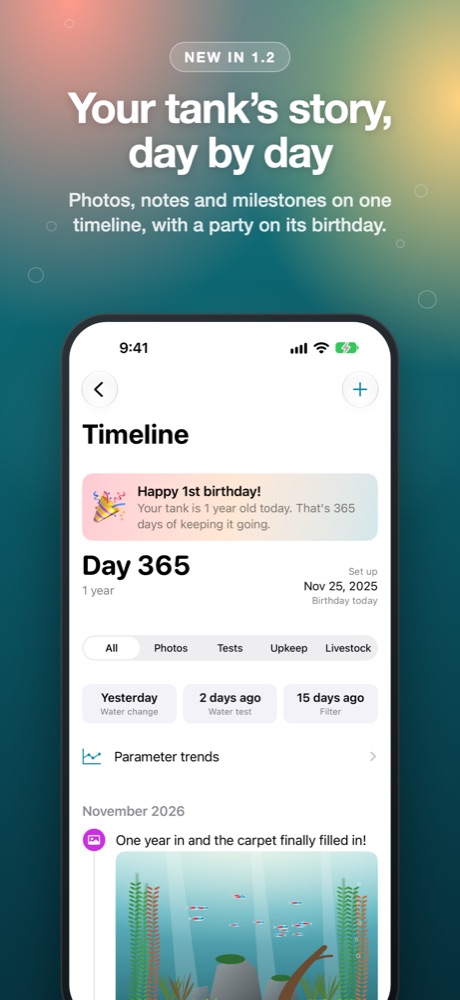
Tank size, setup date and age, with a birthday celebration.
140+ freshwater fish, shrimp, snails and plants.
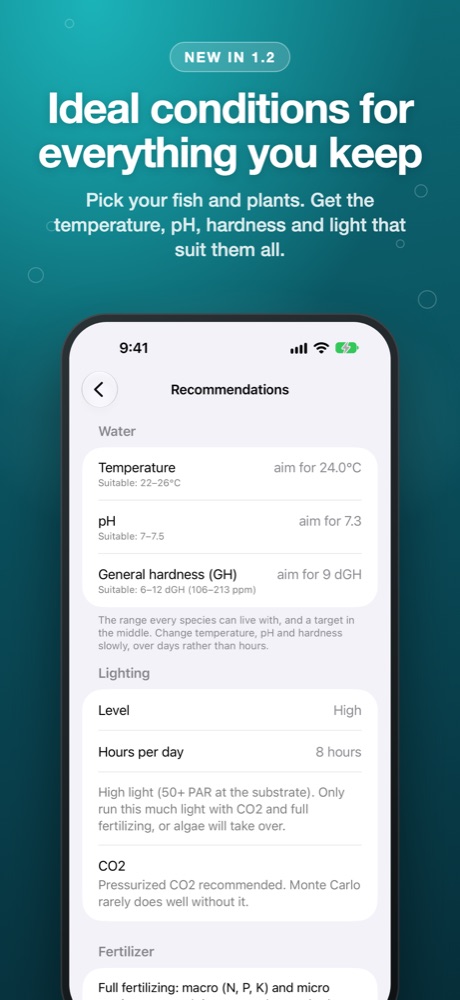
Recommended temperature, pH, hardness, lighting, CO2, fertilizer and water changes.
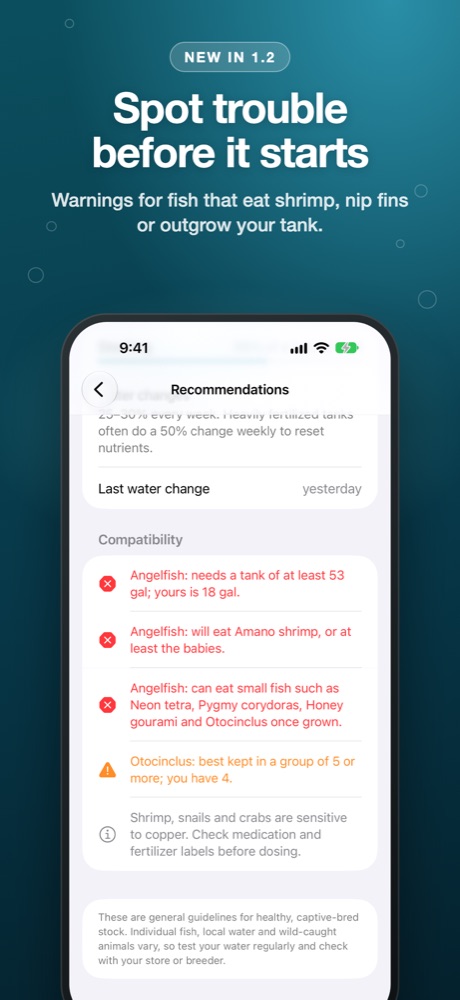
Compatibility warnings for predators, fin nippers, group sizes and tank size.
Timeline & trends
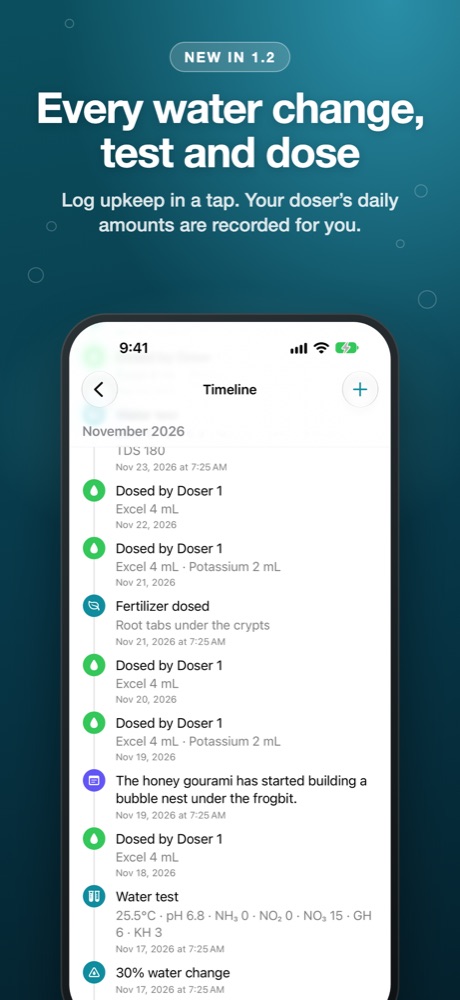
Photos, notes, water changes and full water tests.
Livestock changes, filter cleans, trimming and medication.
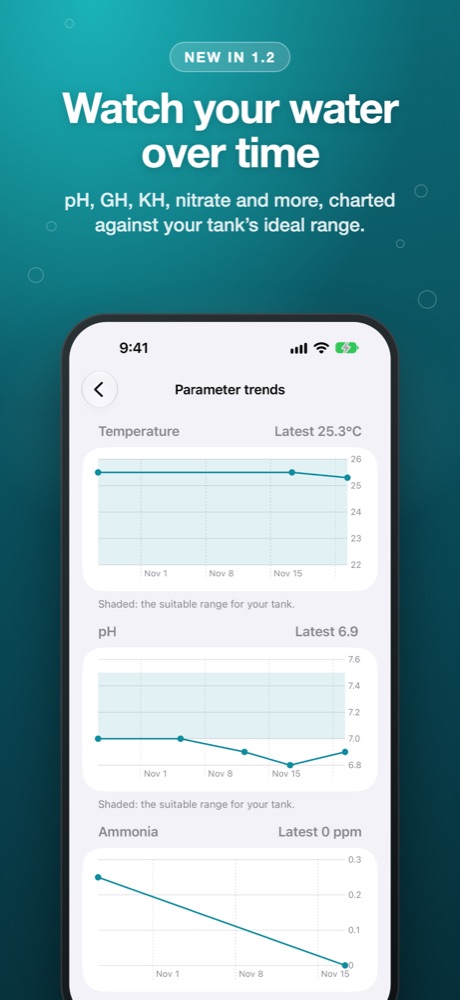
Dosing recorded automatically; charts of each parameter against its ideal range.
Alerts
Heater too hot, too cold, stopped reporting, or alarming.
Dosing containers running low.
Changes made out of range are sent automatically when you're back.
How to use Aquarium Manager
Get your equipment connected and your tank set up.
1 · Explore the demo first
See every screen without any equipment.
Open Settings and choose Explore the demo.
Try the light, doser, heater and stirrer screens. Nothing is sent to real devices and your own settings are untouched.
Leave the demo from Settings when you're done.
2 · Add your equipment
Close the manufacturer's app, and any hub or other phone connected to the device: each device accepts one Bluetooth connection at a time.
Stand near the device and tap + on the home screen.
Choose the device when it appears and give it a name.
Allow Bluetooth access when asked. Repeat for each light, doser, heater and stirrer.
Device not showing up? Check Settings → Aquarium Manager → Bluetooth is allowed, move closer, and make sure no other app is connected to it.
3 · Set up a light scene
Open your light and tap Schedule.
Add periods with their start time, levels and the weekdays they run.
Set sunrise and sunset ramp lengths.
Save. The schedule is stored on the light and keeps running without your phone.
4 · Calibrate and schedule the doser
Open the doser and choose a head.
Run the calibration wizard: it doses a test amount, you measure it and enter the result.
Add a schedule with dose times, amounts and weekdays. Safety limits stop over-dosing.
Under Container, enter the volume when you fill it (Refilled). The app counts down and warns you when it's low.
5 · Set up the heater safely
Open the heater and set your target temperature.
Set the overheat cut-off. It's stored on the heater and rewritten every time the app connects, so it protects the tank even when your phone is away.
Turn on alerts so you're told if the water gets too hot or cold.
6 · Build your tank profile
Go to My Tank and enter the tank size and setup date.
Add the fish, shrimp, snails and plants you keep.
Check Recommendations for ideal parameters and any compatibility warnings.
Log water changes and tests in the Timeline to see trends over time.
Questions
What equipment does it work with?
Chihiros-compatible Bluetooth lights (WRGB II, WRGB II Pro and Slim, Universal WRGB, VIVID series, A II, C II, Commander and more), dosing pumps, Heater Pro and magnetic stirrers. Aquarium Manager is an independent app and is not affiliated with or endorsed by Chihiros.
Do schedules keep running when my phone is away?
Yes. Light, dosing and stirrer schedules and the heater's overheat cut-off are stored on the equipment. Live monitoring and alerts work while your phone is connected.
A change says "waiting to be sent". What does that mean?
The device is out of range. The change is saved and goes out automatically the next time your phone connects to it.
Is it a subscription?
No. Try every feature free for 7 days, then unlock it with a one-time purchase. Schedules stored on your equipment keep running either way.